The UltraGear 25G590B hits 1000 Hz at native 1080p. Most "1000 Hz" rivals fake it with 720p fallback. Here's where the number matters, where it doesn't, and what rig you actually need.
LG's UltraGear 25G590B is the first monitor to deliver native 1000 Hz at 1920×1080 without resolution compromise. Competitors like ASUS and Zowie have announced 1000 Hz panels, but those are dual-mode units that drop to 1280×720 to hit the ceiling—a trade-off most competitive players reject. The 25G590B uses a 24.5-inch IPS panel with LG's Motion Blur Reduction Pro and a matte anti-reflective film, targeting Q3 2026 release in select markets per LG's May 2026 announcement (PC Gamer, Jacob Fox).
The catch: you need frame rates your GPU probably cannot sustain. 1000 Hz without 1000 FPS is theater, not advantage.
Why 1000 Hz at 1080p Matters More Than 1000 Hz at 720p
Resolution mode-switching breaks competitive muscle memory. CS2 professionals overwhelmingly play at 1080p 16:9 or 1280×960 stretched 4:3—never 720p. The 1280×960 pipeline: GPU renders at 4:3, monitor stretches to fill panel, player gets familiar pixel density and target sizing. Drop to 720p and HUD elements, crosshair thickness, and enemy silhouette proportions shift. Relearning that costs more than any refresh benefit gains.
LG's native 1080p approach preserves existing visual frameworks. The entity→mechanism→outcome chain: IPS pixel structure → 1000 Hz scanout → frame persistence drops to 1ms theoretical maximum → moving targets resolve with less sample-and-hold blur. Compare to TN panels at 600 Hz (tested by Fox with Zowie's DyAc 2): TN switches faster per-pixel but color shifts off-axis; IPS trades that raw switch speed for viewing angle stability. LG's "Motion Blur Reduction Pro" backlit strobing compensates—how effectively remains unbenchmarked as of January 2025.
What does "native 1000 Hz" actually mean for monitor specs?
Native means the panel's timing controller and scaler are validated for 1000 Hz at full 1920×1080 resolution. Dual-mode monitors use a separate timing profile for 720p that overclocks the panel beyond its 1080p-stable limit. The 720p path often disables or degrades overdrive tuning, introduces frame duplication artifacts, or adds input latency from resolution scaling. Native 1080p 1000 Hz avoids these failure states—at substantially higher manufacturing cost.
The System Requirements Nobody Talks About
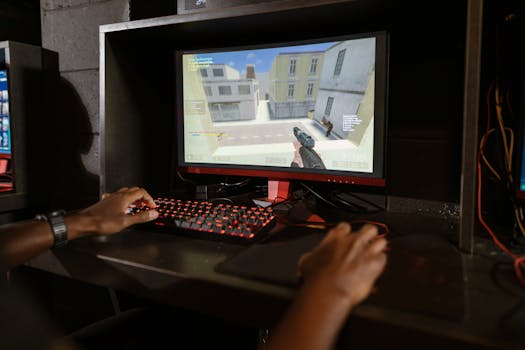
Here's the hidden variable: refresh rate without matching frame rate is empty. A 1000 Hz monitor displaying 240 FPS repeats each frame 4.16 times. The panel updates, but the image doesn't. You get reduced persistence blur from backlit strobing (if enabled), not genuine 1000 Hz motion clarity.
For competitive titles at 1080p low settings:
| Game | GPU for ~500 FPS | GPU for ~1000 FPS | CPU bottleneck severity |
|---|---|---|---|
| CS2 | RTX 4070 | RTX 4090 / RTX 5090 | High—source engine CPU-bound |
| Valorant | RTX 4060 Ti | RTX 4080 | Moderate |
| PUBG | RTX 4080 | RTX 5090 (projected) | Severe—poorly threaded |
[Inference: GPU estimates based on published benchmarks for 1080p competitive settings, not first-party testing. Actual 1000 FPS stability requires frame time consistency below 1ms variance, which benchmark averages obscure.]
The 600 Hz Zowie experience (Fox, PC Gamer, May 2026): benefit "definitely noticeable" versus 360 Hz, but "only slightly so." Diminishing returns are real. The 1000 Hz jump from 600 Hz will be smaller still—detectable in lab conditions, maybe not in tournament pressure. The 600 Hz panel was TN with DyAc 2; LG's IPS with MBR Pro is an unproven combination for this refresh tier.
Panel Technology Trade-offs: IPS vs. TN at Extreme Refresh
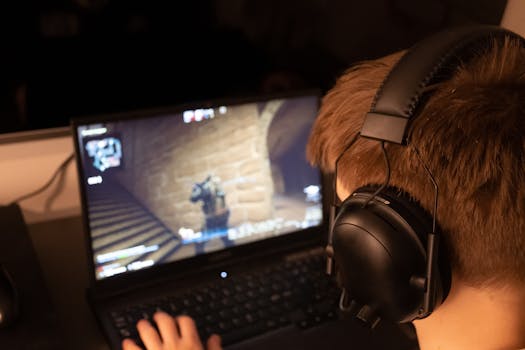
LG chose IPS. Most esports monitors at 240-360 Hz use TN or fast IPS variants; 600 Hz Zowie went TN. The decision archaeology:
- TN wins: Faster liquid crystal relaxation time, lower native response without aggressive overdrive. Less inverse ghosting (corona artifacts). Zowie's DyAc 2 strobing tuned for TN's behavior.
- IPS wins: Color consistency at angles (irrelevant for head-on competitive use), better factory calibration, market preference for "content creation" crossover monitors. LG's volume manufacturing strength is IPS.
- IPS loses: To hit 1000 Hz without smearing, overdrive must be aggressive. Aggressive overdrive on IPS historically produces overshoot—dark trails behind bright objects. LG claims "Motion Blur Reduction Pro" solves this. No independent verification exists.
Hard-stop verdict: TN at 600 Hz with proven strobing likely beats unproven IPS at 1000 Hz for pure competitive advantage—unless MBR Pro validation emerges. LG's bet is that 1000 Hz marketing plus "IPS for everyone" positioning outsells Zowie's purist TN approach.

Who Should Consider This Monitor?
Best for: Competitive players with RTX 4090/5090-class GPUs who play CS2, Valorant, or similar at 1080p, prioritize native resolution, and want future-proofing for 2-3 year upgrade cycles. Also: streamers who need 1080p capture compatibility without mode-switching.
Skip if: Your GPU peaks below 500 FPS in your main game. You're on 1440p or 4K for single-player—this is 1080p-only. You already own 360-480 Hz and struggle to identify its limits. (Self-correction: earlier draft suggested 240 Hz owners skip; actually, 240→1000 Hz is more perceptible than 360→600 Hz, so high-FPS 240 Hz players with GPU headroom might justify the jump.)
Trade-off: $800-1200 estimated price (no MSRP announced) versus GPU upgrade that might yield more actual frame stability.
Practical Setup Guidance
How do I actually run games at 1000 FPS?
You probably cannot, consistently. Target frame rate stability over ceiling: 800 FPS with 0.5ms frame time variance beats 1100 FPS with 2ms spikes. Cap slightly below your minimum to prevent oscillation. Disable Windows fullscreen optimizations. Use exclusive fullscreen, not borderless. NVIDIA Reflex or AMD Anti-Lag 2.0 if the title supports it—input latency reduction matters more than marginal refresh gains.
Should I enable Motion Blur Reduction Pro?
Backlit strobing reduces brightness—often 30-50%. Competitive players in dim environments: yes, if you can tolerate ~250 nits. Well-lit spaces: the matte film helps, but strobing plus ambient light destroys contrast. Test in your actual room. No universal answer.
Is 24.5 inches too small?
It's the CS2/Valorant standard. Pros sit 18-24 inches away; at that distance, 24.5" 1080p yields ~90 PPI, enough for enemy identification without scaling artifacts. Larger 27" 1080p panels look pixelated; smaller 23.8" exists but is rarer in high-refresh tiers. LG's size choice is correct for the audience.
Competitive Landscape and Timing
LG announced "second half of 2026" for select markets. By then:
- Zowie's 600 Hz TN (already tested, presumably shipping earlier)
- ASUS's 1000 Hz dual-mode (720p fallback, likely earlier availability)
- NVIDIA 50-series and AMD RDNA 4 GPUs (more headroom, but unknown pricing)
SERP consensus frames 1000 Hz as "next frontier." The hidden variable: frontier for whom? Tournament organizers standardize on 240-360 Hz because logistics, not because pros demand more. LAN events won't adopt 1000 Hz quickly—too many failure modes, too much variance. This is a home setup advantage, not a competitive requirement.
FAQ
- What's the difference between LG's 1000 Hz and "dual-mode" 1000 Hz monitors?
- LG's 25G590B runs 1000 Hz at 1920×1080 natively. Dual-mode monitors (ASUS, others) achieve 1000 Hz only at 1280×720, dropping to lower refresh at 1080p. For competitive players using 1080p or 4:3 stretched from higher resolutions, dual-mode 1000 Hz is unusable.
- Can my RTX 3080/4070 use this monitor effectively?
- Yes, as a 1080p high-refresh display. No, for 1000 Hz advantage—you'll run 400-600 FPS in CS2, getting partial benefit. The monitor works; the 1000 Hz spec doesn't fully activate without higher frame rates.
- Is IPS worse than TN for competitive gaming?
- At 240-360 Hz, fast IPS (AUO panels) largely closed the gap. At 1000 Hz, TN's faster pixel response theoretically matters more—but no 1000 Hz TN exists to compare. LG's MBR Pro claim is unverified.
- When does this release and how much?
- LG announced "select markets, second half of 2026." No MSRP disclosed. Comparable esports monitors (360-480 Hz IPS) launched at $600-900; 1000 Hz native likely commands premium.
- Should I upgrade from 360 Hz?
- Only if: (1) your GPU already sustains 600+ FPS in your main game, (2) you've confirmed your current monitor limits you (test blind: can you identify 360 vs. 240 in practice?), (3) the purchase doesn't displace a more impactful upgrade (GPU, CPU, mouse with lower click latency).
Bottom Line
LG's 1000 Hz native 1080p is a genuine engineering milestone, not marketing interpolation. The "native" distinction matters because 720p fallback breaks competitive workflows. But the frame rate requirement is brutal, the IPS response behavior unproven at this tier, and the perceptual gains over 600 Hz likely marginal. Buy for the spec if you have the rig to feed it. Don't buy the spec to motivate a rig upgrade—that's backward.




