Procreate's iPhone Launch Is Real, But the Real Story Is What It Costs Your Workflow
Procreate is now on iPhone. Same ¥88 price. Same Savage Interactive DNA. But the screen is six inches smaller, your finger replaces the Pencil for most tasks, and the 16K canvas you loved on iPad Pro shrinks to fit hardware that thermal-throttles in summer pockets. The app isn't worse. The context is.
What Actually Changed (And What Didn't)
Savage Interactive ported their flagship illustration engine to iPhone without subscription pricing—a genuine anomaly in 2024 creative software. The App Store listing confirms the Valkyrie engine, 64-bit color, layer systems, and brush import capabilities all made the jump. You still buy once, keep forever.
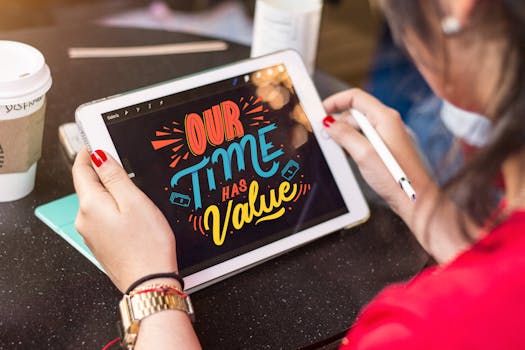
Here's where the grounding gets tricky. The iPad version's core selling point—Apple Pencil pressure sensitivity, tilt detection, sub-10ms latency—doesn't fully translate. iPhone lacks native Pencil support. Third-party styluses exist (Adonit, Logitech Crayon variants), but none match the Pencil's integration with Procreate's brush engine. The "pressure" you get is simulated through speed-based stroke width or Bluetooth stylus protocols that add ~20ms of latency.
This matters more than most reviews admit. Procreate's brush system has over 100 customizable parameters per brush. Half of those parameters—pressure taper, tilt grain, azimuth rotation—assume hardware that doesn't exist on iPhone. You're not getting "Procreate minus screen size." You're getting Procreate minus a physical dimension of control that the interface was built around.
The canvas limit tells the same story. iPad Pro supports 16,000 × 8,000 pixels. iPhone 15 Pro has 8GB RAM shared with the OS, camera pipeline, and whatever notifications arrive mid-stroke. Savage hasn't published iPhone-specific canvas caps, but the physics are unforgiving: fewer layers, smaller dimensions, or both. Artists who've stress-tested report ~4K square as a practical ceiling before the app starts purging background layers.
File compatibility is seamless—.procreate files sync through iCloud, PSD export works identically. Start on iPhone, finish on iPad. But this reveals the actual use case: ideation, not production. Thumbnails. Color studies. The 30-second sketch you capture before forgetting. Not the 40-hour commission piece.
The Hidden Trade-Off Nobody Talks About
Procreate's iPhone launch looks like expansion. It might be contraction in disguise.
Savage has never taken venture funding. They're based in Tasmania, employ roughly 40 people, and have one revenue stream: app sales. The iPad install base is ~500 million devices. iPhone active devices exceed 1 billion. Simple math suggests growth.
But creative software economics don't follow simple math. Here's the asymmetry: iPad Procreate users buy the app once, use it for years, generate zero recurring revenue. Savage's sustainability depends on new user acquisition—either from platform expansion or from the occasional paid major update (Procreate 2, Procreate 5, etc. were free to existing users; Procreate Dreams was a separate app).
The iPhone version, priced identically to iPad, doesn't solve this. It extends the same broken model to a larger audience. Meanwhile, competitors—Adobe Fresco with its $9.99/month plan, Clip Studio Paint with its subscription tiers—are building recurring revenue that funds faster feature development.
What does this mean for you? If you're choosing between Procreate and alternatives, the calculation isn't ¥88 versus $120/year. It's ¥88 now versus the risk that Savage's business model eventually forces a subscription, a paid upgrade, or slower development. They've pledged against subscriptions publicly. Pledges from private companies expire when economics override them.
The other hidden variable: iPhone Procreate trains users on a workflow that doesn't scale. Learn the app on a 6-inch screen, build muscle memory with finger gestures, accumulate brushes and color palettes. When you graduate to iPad—or need desktop features—you're locked into an ecosystem with no Mac version, no Windows version, no Android version. Procreate's .procreate format is proprietary. PSD export preserves layers but loses brush settings, animation timelines, and some blend modes.
Compare this to Clip Studio Paint or even Adobe's suite: learn once, deploy everywhere. Procreate's iPhone expansion increases lock-in without increasing platform breadth.
What to Watch Next
Three signals will determine whether iPhone Procreate becomes essential or vestigial:
Hardware dependency. If Apple releases iPhone-native Pencil support (rumored, unconfirmed for iPhone 16 cycle), the value proposition flips. Pressure and tilt on pocket hardware would make iPhone Procreate genuinely unique. Without it, the app remains a compromise for existing users, not a draw for new ones.
Savage's revenue moves. Watch for subscription introduction, paid feature packs, or a new app entirely. Procreate Dreams (animation-focused, separate purchase) was the test case. If it underperformed, pressure on the core app increases. If it succeeded, expect more spinoffs rather than core expansion.
Canvas and layer limits in practice. The community will establish real-world ceilings quickly. If iPhone 15 Pro handles 6K × 6K with 20+ layers, the app is viable for light professional work. If it chokes at 3K square, it's strictly a sketchpad.
For immediate decisions: buy iPhone Procreate if you already own the iPad version and want sync convenience, or if ¥88 is trivial and you're curious. Don't buy it as your primary creative tool unless you've tested your specific workflow on the hardware you own. The App Store reviews—3.5 stars on the Chinese storefront, with specific complaints about scaling lag, phantom undo triggers, and auto-color-pick errors—suggest the port isn't fully optimized yet.
The smarter money might wait for the .0.1 update, or for Apple to resolve the stylus gap, or for Savage to clarify their long-term pricing. Procreate earned its reputation by refusing to compromise on the iPad experience. On iPhone, compromise is built into the hardware. Whether the software can transcend that constraint is still an open question.
What You Should Do Differently
Stop evaluating Procreate as a standalone purchase and start evaluating it as a platform bet with exit costs. If you invest time in its brush system, file format, and workflow, you're implicitly betting that Savage remains independent, Apple keeps iPad Pencil-exclusive, and your creative needs never require Windows or desktop Mac software. That bet has paid off for a decade. The iPhone expansion doesn't strengthen it—it just spreads the same risk across more devices.