Can you use dry ice to cool your gaming PC? Yes, but only if your case is physically built to prevent the resulting condensation from instantly destroying your motherboard. YouTuber mryeester successfully dropped a $6,500 PC’s idle temperature to 34 °C using dry ice, but the stunt only worked because the specific HP Omen test rig featured an isolated "Cryo Chamber" that physically separated the cooling radiator from the core components. For everyday players calculating their next build's thermal budget, this experiment proves that isolating your radiator’s air intake matters far more than the sheer size of your cooler, though dry ice itself remains a terrible permanent solution for daily gaming.
The Anatomy of the Dry Ice Cooling Experiment
Most PC builders assume that extreme cooling is purely a function of radiator surface area or pump speed. The math actually heavily favors ambient intake temperature and condensation management. When calculating the thermal limits of a gaming rig, the cooling liquid inside an All-In-One (AIO) cooler can never drop below the temperature of the air being pushed through its radiator fins.
YouTuber mryeester, known for boundary-pushing hardware stunts like infinite ice-based coolers and edible thermal paste, recently tackled dry ice. Standard regular ice melts into water, which is an immediate death sentence for electronics. Dry ice sublimates directly into carbon dioxide gas, which seems safer. However, placing dry ice directly on top of a standard top-mounted AIO remains a catastrophic idea. The extreme cold causes moisture in the surrounding room air to condense, creating water droplets that will inevitably drip through the radiator vents directly onto your graphics card.
The variable that made this specific experiment possible was the HP Omen Max 45L. This $6,500 machine features a proprietary "Cryo Chamber" design. The AIO radiator and its fans are completely isolated in their own roof compartment, separated from the motherboard by a large physical gap.
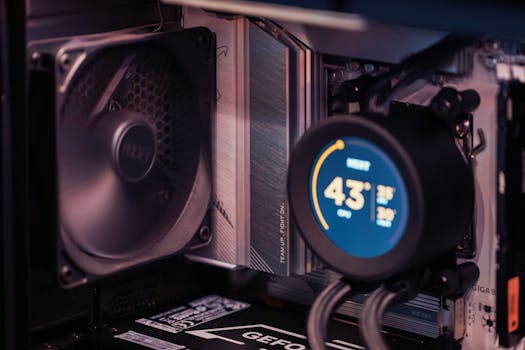
Placement dictated the entire result. When mryeester placed the dry ice directly on top of the AIO, the fans were set to exhaust upwards. They simply blew the ghostly vapor trails into the room, dropping the CPU idle temperature to 37 °C. This matched the performance of regular ice because the cold air was being pushed away from the radiator fins. The breakthrough happened when the dry ice was placed in the gap below the chamber. The fans pulled the sub-zero air directly up and through the radiator vents, dropping the idle temperature to a chilly 34 °C compared to the 43 °C stock idle temperature. The asymmetry is clear: feeding cold air into a system is exponentially more effective than placing a cold object near an exhaust.
The Hidden Bottlenecks of Sub-Zero PC Cooling
Dropping a CPU's idle temperature by nine degrees makes for an excellent video thumbnail, but you must calculate the actual trade-offs before considering sub-zero cooling a viable daily strategy. The hidden bottleneck here is the difference between idle temperatures and sustained thermal soak under a heavy gaming load.
Modern processors dynamically scale their clock speeds based on available thermal headroom. A 34 °C idle temperature is an amusing statistic, but it offers zero tangible performance benefits while you are just browsing your Steam library. The true test of any cooling calculator is how the system handles a 150-watt or 200-watt load sustained over a three-hour gaming session. Dry ice sublimates rapidly when exposed to heat. To maintain that sub-zero intake air during a heavy load, you would need to constantly feed fresh chunks of dry ice into the chassis gap every few minutes. The operational cost and manual labor required make it entirely impractical.
Then you must factor in the dew point. Even though dry ice does not melt into water, it cools the surrounding metal chassis and radiator fins well below the ambient room temperature. When metal drops below the dew point, water from the air condenses on it. Extreme overclockers who use liquid nitrogen or dry ice pots spend hours insulating their motherboards with kneaded erasers, conformal coating, or shop towels just to survive a single benchmarking run.
The HP Omen's Cryo Chamber mitigated this risk purely through physical distance. Any condensation forming on the radiator would drip into the isolated gap rather than onto the PCIe slots. If you attempted to replicate this sub-zero intake strategy in a standard mid-tower case, the resulting condensation would fry your system within the hour. You trade a massive amount of hardware safety for a temporary thermal novelty.
What This Means for Your Next PC Build
The real hero of mryeester's video is not the dry ice. The hero is the physical case design. You do not need to buy dry ice to apply the core lesson of this experiment to your own hardware decisions.
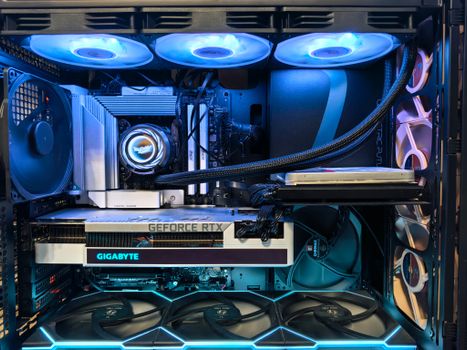
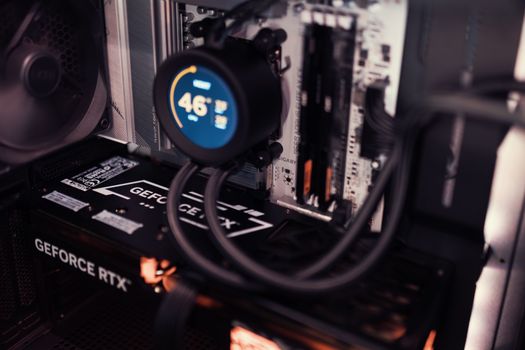
When you calculate the thermal budget of a standard gaming PC, the graphics card is usually the dominant heat source. Modern high-end GPUs routinely dump massive amounts of heat directly into the main chassis chamber. If your CPU's AIO radiator is mounted at the top of the case acting as an exhaust, it is forced to use that pre-heated GPU exhaust air to try and cool the CPU. You are effectively trying to cool a hot processor with hot air.
The HP Omen 45L bypasses this bottleneck entirely. By physically separating the radiator, it ensures the CPU cooler pulls in fresh, room-temperature air. You can achieve a similar effect in a standard case without spending $6,500 by simply changing your fan configuration.
| Hypothetical Cooling Strategy | Air Intake Source | CPU Temp Impact | GPU Temp Impact |
|---|---|---|---|
| Top-Mount Exhaust AIO | Heated GPU exhaust air | Runs hotter | Runs cooler |
| Front-Mount Intake AIO | Fresh room air | Runs cooler | Runs slightly hotter |
| Isolated Chamber (Omen 45L) | Fresh room air | Runs cooler | Runs cooler |
Note: Table represents a hypothetical decision matrix for standard airflow planning, not specific benchmark data.
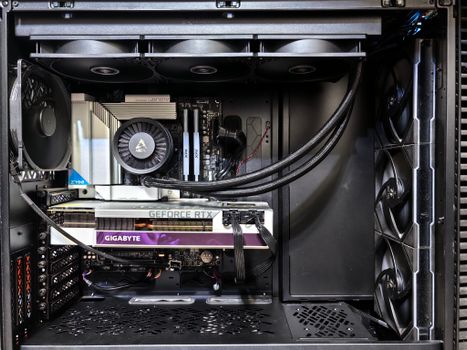
Mounting your AIO on the front of your case as an intake forces it to pull fresh room air through the radiator. Yes, this means slightly warmer air is then pushed toward your GPU. However, GPUs generally feature massive, overbuilt heatsinks that handle ambient temperature increases far better than CPUs do. CPU boost clocks are highly sensitive to thermal thresholds. By prioritizing fresh air for your CPU radiator, you replicate the mechanical advantage of the Cryo Chamber without needing a proprietary case or a block of frozen carbon dioxide.
Conclusion
Stop obsessing over exotic cooling mediums and start calculating your case's airflow paths. The dry ice experiment proves that the temperature of the air hitting your radiator dictates your thermal floor. Instead of risking condensation damage or buying expensive thermal pastes, evaluate where your AIO is pulling its air from. If your CPU cooler is currently choking on hot exhaust from your graphics card, moving your radiator to a front intake position will yield immediate, practical temperature drops that actually survive a three-hour gaming session.
Hardware Safety Notice
This article is for informational purposes only. Handling dry ice requires heavy insulated gloves to prevent severe frostbite, and it must only be used in well-ventilated areas to prevent carbon dioxide asphyxiation. Intentionally introducing sub-zero temperatures to standard consumer electronics carries a high risk of permanent condensation damage.




