Valve’s compatibility rating system is currently lying to you about one of the most popular role-playing games in existence. Despite carrying the dreaded “Unsupported” tag since December, The Elder Scrolls V: Skyrim Special Edition runs flawlessly on the Steam Deck out of the box. You do not need to mess with configuration files, force custom compatibility layers, or map bizarre community control layouts. If you are holding off on installing it because of the white "No" symbol on its store page, ignore the warning entirely and hit download.
The Verification Lie and the Cost of Blind Trust
The Steam Deck Verification system is a blunt instrument. Players naturally assume a green checkmark means a perfect experience, a yellow exclamation mark means minor text size issues, and a white "No" symbol means the game is fundamentally broken. Skyrim completely flips this assumption. Valve slapped the 2016 Special Edition with the Unsupported tag last December. It sat there through January, February, March, and April. Yet, it remains one of the platform's most-played games month after month.
Why? Because the community quickly realized the tag is functionally meaningless here. Look at a legitimately Unsupported game like the original Max Payne. To get that running on a Steam Deck, you are booting into desktop mode, digging through file directories, tweaking .ini files, and wrestling with a total lack of native gamepad support. The juice is rarely worth the squeeze for a casual player. Skyrim requires absolutely zero of that friction. You hit play. It works. Steam Deck HQ testers and thousands of Reddit users confirm it boots perfectly.
The real bottleneck here isn't software compatibility; it's the psychological barrier the UI creates. The verification system demands blind trust, but the reality of PC gaming on Linux via the Proton compatibility layer is far messier. Valve has offered no official explanation for the downgrade from Verified to Unsupported. Automated testing systems often flag games for incredibly minor infractions—a third-party launcher updating, a specific video codec failing to play in a credits menu, or a background telemetry glitch. Whatever triggered the automated fail state for Skyrim, it has zero impact on the actual gameplay loop.
By treating the "Unsupported" label as a hard rule, you lock yourself out of a massive library of perfectly viable PC games. The system is a helpful guide for fresh hardware owners, but it is not an absolute truth. The five-month streak of Skyrim dominating the handheld's playtime charts proves that player consensus is often a much better indicator of performance than an automated store tag.
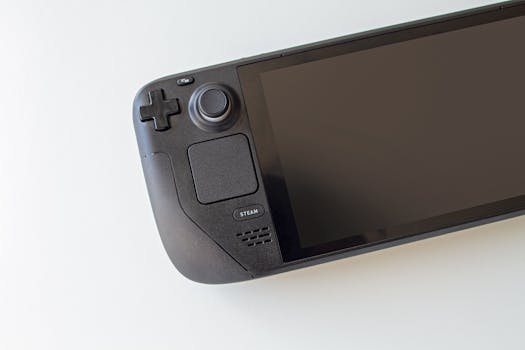
How to Optimize the Handheld Skyrim Experience
You ignored the tag. Now you are staring at the cart on your commute. What actually defines the Skyrim experience on a handheld device? It is not graphical fidelity; it is the total suspension of friction. Skyrim’s core loop—explore a dungeon, loot everything not nailed down, craft gear, and level up—fits a portable form factor perfectly. You can clear a Nordic ruin in twenty minutes while waiting for a train, or spend three hours organizing your inventory on the couch.
If you are a returning player, your first instinct will be to replicate your heavily modded desktop setup. Do not do this. Modding on SteamOS is entirely possible, but it introduces the exact instability the vanilla game currently avoids. The trade-off is stark. You gain high-resolution texture packs and custom weapons, but you lose the seamless suspend-and-resume feature that makes the Deck feel like magic. Heavy script mods often break when the console is put to sleep mid-combat. Stick to the vanilla Special Edition for a stable, drop-in experience.
Your control scheme also needs a minor philosophical shift. Archery feels vastly different on thumbsticks compared to a mouse. Precision aiming is less forgiving. Melee builds utilizing a sword and shield are significantly superior on the Deck’s default controls. Magic builds are viable, but they require constant hotkey swapping, which feels clunky on a standard controller layout.
This brings up the most crucial shortcut for new Deck players: utilize the back paddles. By default, Skyrim does not map anything to the L4, L5, R4, and R5 buttons on the back of the grips. Go into the Steam Input menu and map one of these paddles to F5 (Quicksave) and another to the map screen. Skyrim is an older game, and while it runs perfectly on the Deck, physics glitches and random deaths still happen. Having a dedicated hardware button for instant saving transforms the flow of the game, completely removing the need to pause and navigate menus just to secure your progress.
Finally, pay attention to cloud saves. If you bounce between a desktop PC and the Steam Deck, ensure you allow the cloud sync to complete before putting the handheld to sleep. Skyrim’s save files bloat over time. A character with a hundred hours of playtime generates a massive save file. Forcing the Deck to sleep before that file fully uploads to Valve's servers will result in version conflicts the next time you boot up your desktop.
Conclusion
Stop treating Valve’s compatibility rating as an unbreakable law. The "Unsupported" tag is a suggestion, not a physical lock on your hardware. Download Skyrim, map your quicksave to a back paddle, stick to the vanilla installation for maximum stability, and enjoy the fact that one of the best RPGs ever made runs perfectly in your hands.




